Best Web Hosting for Your US LLC Website
Managed hosting picks for a new US LLC website by budget and traffic: WP Engine, Kinsta, Cloudways and Liquid Web compared, plus when to skip WordPress.
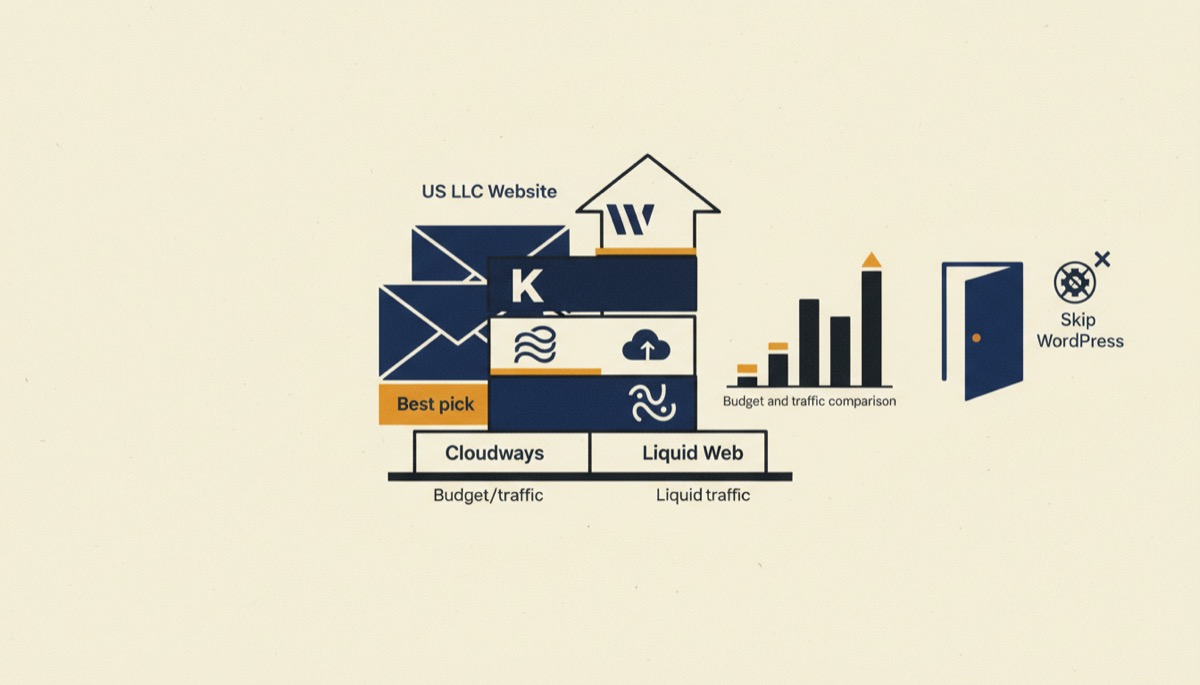
For a brand-new US LLC website with modest traffic, managed cloud hosting on Cloudways is the best value, and WP Engine or Kinsta are the right answer once the site earns money and downtime starts costing you clients. Liquid Web is for when you need an actual human on support and hardware you control. Pick on traffic and on how much of your own time you want to spend on server maintenance — not on the headline price.
Bottom line
- Under 25,000 monthly visits and a tight budget: Cloudways, starting in the low teens per month.
- A revenue-generating business site you do not want to think about: WP Engine or Kinsta, roughly $30–$35/month at entry.
- High-traffic, compliance-sensitive or custom-stack sites: Liquid Web.
Prices move. Every figure here is a starting point to verify on the provider’s current pricing page.
The four picks compared
| Cloudways | WP Engine | Kinsta | Liquid Web | |
|---|---|---|---|---|
| Pricing model | Pay-as-you-go server rental, billed monthly | Flat plan by site count and visits | Flat plan by site count and visits | Flat managed plans, VPS and dedicated |
| Entry price | From around $11–$14/month | Around $30/month monthly, slightly less annually | Around $35/month | Managed plans in the tens per month; dedicated into the hundreds |
| Entry plan headroom | Unlimited sites within your server’s resources | 1 site, about 25,000 visits, 10GB storage | 1 site, 25,000 visits, 10GB storage | Varies widely by product line |
| Best for | Bootstrapped sites, agencies stacking several small sites | Business sites that must not break | Developer-friendly business sites | High traffic, custom stacks, hands-on support |
| Standout feature | Choose your own cloud provider and scale the server, not the plan | Mature caching, staging and 24/7 chat support | Fast dashboard, clean staging, generous free migrations | Support that actually solves problems, plus real server control |
| Weakest point | You are closer to the server than on a flat plan | Visit overages add up, and lower tiers are thin on storage | Strict visit caps on cheaper plans | Overkill and overpriced for a small brochure site |
Start with traffic, not price
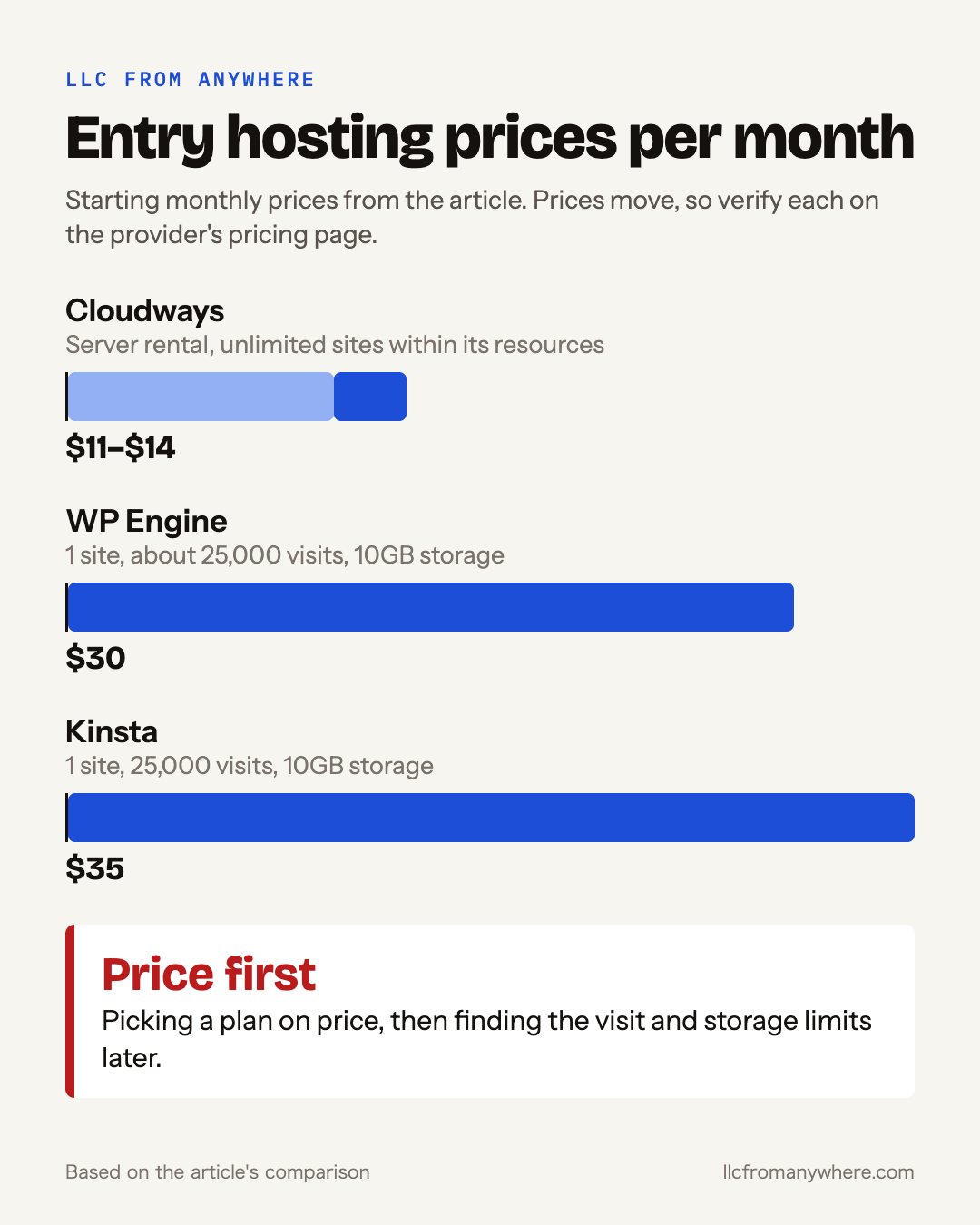
Almost every hosting mistake comes from picking a plan on price and discovering the constraint later. The real constraints on managed WordPress plans are monthly visits and storage, and both providers above charge overages when you exceed them.
A new LLC website — five to fifteen pages, a contact form, maybe a blog — will sit under 5,000 monthly visits for its first year unless you are actively marketing. That means every plan here is technically oversized. So the question is not “which plan has enough capacity” but “what happens when I grow, and how much of my attention does this consume in the meantime.”
Three tiers, honestly drawn:
Tier 1: site exists, no revenue depends on it. Your hosting should cost about as much as a coffee subscription. Cloudways rents you a small server from DigitalOcean, AWS or Google Cloud with a managed layer on top, starting in the low teens per month, and lets you host several sites on the same server. You get more control and more responsibility.
Tier 2: clients find you here, or you sell here. Downtime now costs money and credibility. WP Engine and Kinsta are both about $30–$35/month at entry and both exist to make hosting boring — server-level caching, one-click staging, daily backups, automatic core and PHP updates, and support that knows WordPress rather than just Linux.
Tier 3: traffic, compliance, or a stack that is not stock WordPress. Liquid Web sells managed VPS, dedicated servers and managed WordPress hosting with support that is genuinely available and technically deep. You pay a premium for both.
WP Engine vs Kinsta: how to choose in a minute
They compete on the same ground and the difference is temperament, not capability.
Choose WP Engine if you want the most-trodden path. Its entry Startup plan is one site, roughly 25,000 monthly visits and 10GB of storage for about $30/month, with its own server-level caching, a CDN, daily backups, one-click staging environments, free SSL and automatic updates. Because it is so widely used, every developer you hire will already know it, and almost every “how do I do X” question has an existing answer.
Choose Kinsta if you value the control panel. Kinsta’s Starter plan is also one site and 25,000 visits with 10GB of storage, at about $35/month. The dashboard is the nicest in the category, the staging and cloning workflow is clean, and it tends to suit people who actually go into their host’s interface rather than treating it as a bill.
Where they both bite: visit caps. Exceeding your plan’s monthly visits triggers overage charges on both, and a single viral post or a badly behaved bot crawler can do it. If you expect spiky traffic, either budget for the next tier or use a caching CDN in front so fewer requests reach the host.
When Cloudways is the smarter buy
Cloudways works differently from the other three. Instead of buying a plan sized in “visits,” you rent a server sized in RAM and CPU and pay by the hour, billed monthly. A 1GB DigitalOcean server starts around $14/month, and entry pricing begins in the low teens. You can host as many sites on it as its resources allow.
Two consequences worth understanding before you buy:
The upside is headroom per dollar. For an agency or a founder with three or four small sites, one Cloudways server replaces three flat plans. Scaling means resizing the server, not jumping a pricing tier.
The downside is proximity. There is no monthly visit cap to protect you, which means a traffic spike shows up as a slow site rather than an invoice. You will occasionally think about server resources. If that sentence sounds tedious to you, pay the extra fifteen dollars for a flat plan.
When Liquid Web earns its price
Liquid Web is the outlier here and should be treated as such. It makes sense in three situations:
Support is the product you are buying. If your business site being down for two hours is a real commercial event and you want to reach a competent engineer immediately rather than a chat queue, this is what the premium buys.
Your stack is not stock WordPress. Custom applications, specific PHP or database requirements, multiple environments, or server configuration you actually need to control point to managed VPS or dedicated hardware rather than a managed WordPress plan.
Traffic or data sensitivity is high. Larger sites, high-value transactions, or workloads where you need hardware isolation rather than shared infrastructure.
For a new LLC’s five-page site, it is the wrong purchase. Revisit it when the site is load-bearing.
Other tools worth one line each
Selling physical products? Skip WordPress hosting entirely and use Shopify. A hosted store handles PCI compliance, checkout, tax calculation and fraud screening as part of the product, and none of those are things a new LLC owner should be assembling from plugins. Use WordPress for content and Shopify for the storefront if you want both.
Planning content? Semrush is the standard for keyword research and competitor analysis. Its value is not in the vanity metrics — it is in showing you which search terms your prospective clients actually type before they buy, so you write ten pages that earn traffic instead of thirty that do not.
Who should pick what
Pick Cloudways if you are cost-sensitive, comfortable enough to resize a server, or hosting several sites at once.
Pick WP Engine if you want the safest mainstream choice for a business site and the widest pool of people who can help you with it.
Pick Kinsta if you will interact with the hosting dashboard regularly and want the best one.
Pick Liquid Web if support quality or server control is a business requirement rather than a nice-to-have.
FAQ
Do I need US hosting because my LLC is American?
No. Your hosting location has no bearing on your entity’s legal status or its filings. Choose a data centre near your audience for speed — all four providers let you pick a region. If you are still deciding on the entity itself, start with us-llc-for-non-residents.
Is $30 a month too much for a brand-new website?
It is a legitimate expense if the site generates leads, and a vanity cost if it does not. Start on Cloudways at a third of the price, and move to a flat managed plan the month the site starts producing enquiries. Budgeting context is in us-llc-cost-for-non-residents.
What happens if I go over my visit limit?
On flat managed plans you are charged an overage per additional block of visits, and repeated overages usually mean the next tier is cheaper. Check the provider’s current overage rates before you plan a big launch.
Can I move hosts later?
Yes, and all four offer migration help, with free migrations common on the managed WordPress plans. Do not over-optimise the first decision; switching a WordPress site is a routine afternoon’s work.
This is general information rather than legal, tax or technical advice for your specific setup, and where an LLC’s compliance is involved, confirm with a CPA or attorney.
If you want the cheapest capable start, Cloudways is the pick. If the site carries your business and you would rather never think about it, WP Engine is the one to buy — and add Semrush before you write the first page, so the pages you publish are ones people are already searching for.
Tools mentioned in this article
Keep reading
Bizee (Incfile) Review: Is It Legit for Non-US Founders?
An honest Bizee (formerly Incfile) review for non-US residents: what the free formation plan really covers, hidden costs, and when to pick something else.
Northwest Registered Agent Review: Honest Take for Non-Residents
An honest Northwest Registered Agent review: privacy by default, mail scanning, the $125 renewal, the non-resident bundle, and when to skip it.
Best Domain Registrar for a US LLC (and What to Avoid)
Pick the best domain registrar for your US LLC: honest renewal pricing, free privacy, and clean ownership. Plus the common mistakes non-residents make.